What to fill in
| Bracket | What to put | Example |
|---|---|---|
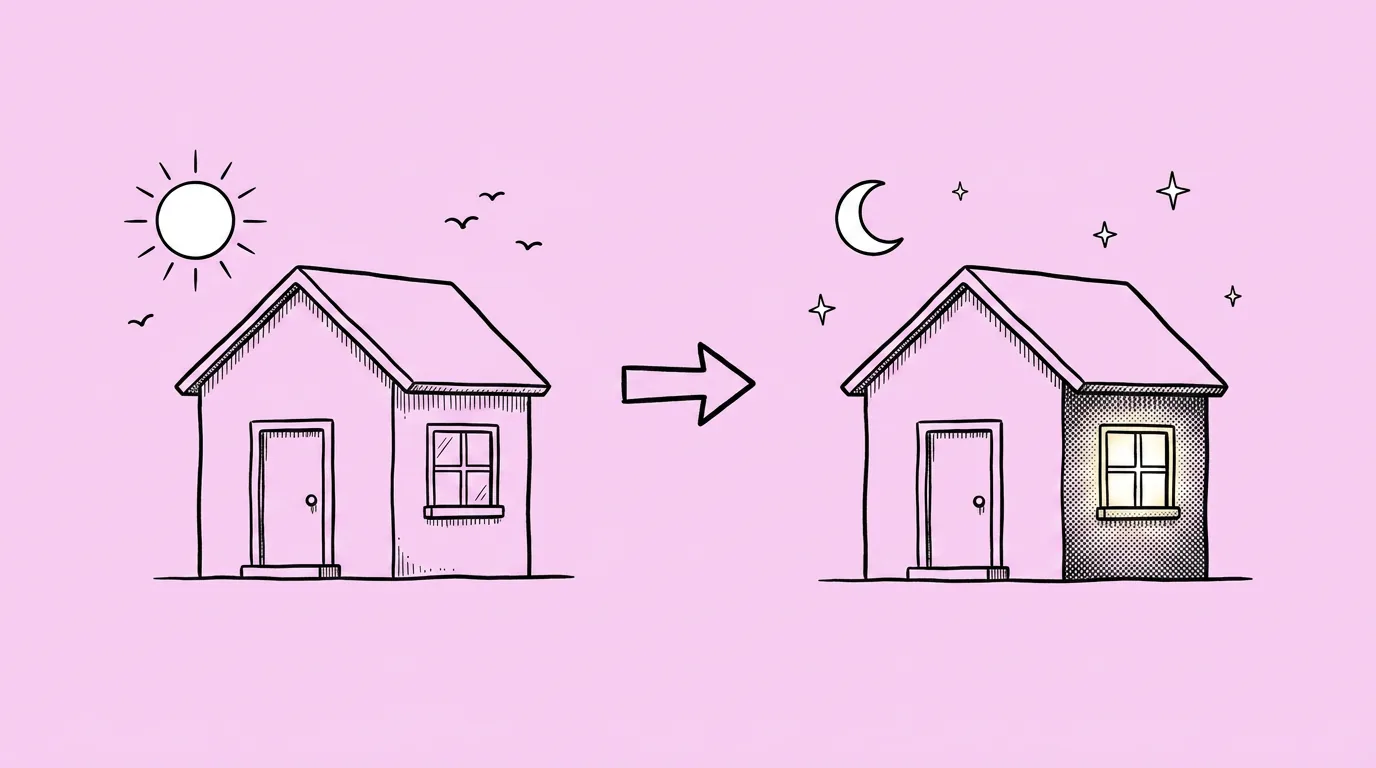
| [new lighting] | The light source, its direction and its color, not only a mood. | "warm sunset light from the left, long shadows to the right, lanterns glowing" |
When do you use it?
When the art is right but the mood isn't. An event that runs at night. A summer festival that wants golden hour. A store banner that needs more drama to stand out. The scene doesn't need to be redrawn. It needs different light.
What breaks, and how do you fix it?
Content or colors change beyond the lighting, so a tree disappears or a roof turns a different color. And shadows don't match the new light source.
- Name the light source and direction. "Warm sunset light from the left" gives the model something to cast shadows from. "Moody" doesn't.
- Try a couple of models. Some change content along with the light. Keep the one that changes only the light. Compare image models runs them side by side.
Variations to try
Using the attached image, change it to night: moonlight from the upper right, cool blue tones, every window and lamp glowing warm.
Using the attached image, add a strong colored rim light in magenta from behind the character, darker background, same composition.
FAQ
Can I make a full day-night set?
+
Yes. Run the prompt several times on the same image: morning, noon, sunset and night. Keep the source image the same each time.
Will characters in the scene change?
+
They shouldn't. If one does, add "keep the characters exactly the same" and rerun, or try another model.
Does it work on UI and icons?
+
It works best on scenes and key art. For icons, color changes usually come out cleaner with Recolor.